|
|
||
|---|---|---|
| .. | ||
| CMakeLists.txt | ||
| demo.py | ||
| hrnet.cpp | ||
| logging.h | ||
| readme.md | ||

HRNet
The Pytorch implementation is HRNet-Image-Classification.
How to Run
-
- generate .wts
Download code and model from HRNet-Image-Classification and config your environments.
Put
demo.pyin theYOUR_ROOT_DIR\HRNet-Image-Classification\toolsfolder, setsavewts in main()asTrue, and run, the .wts will be generated. -
- cmake and make
mkdir build
cd build
cmake ..
make
sudo ./dbnet -s             // serialize model to plan file i.e. 'DBNet.engine'
sudo ./dbnet -d  ../samples // deserialize plan file and run inference, the images in samples will be processed.
Result
The test img:

Pytorch Result:

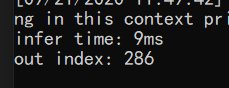
TRT Result: